
Advertisers can exclude specific AI chatbot apps only when the buying platform supports app-level exclusions and enforces them against identifiable inventory. A contextual matcher or publisher SDK does not establish that capability. Before you commit spend, require confirmation of the exclusion scope, app identifiers, enforcement rules, and placement reporting.
- To exclude apps from ai chatbot ad campaign inventory, verify app-level controls before committing spend.
- App exclusions, publisher exclusions, and conversation filters address different placement decisions.
- Require identifiable inventory, documented enforcement, and placement reporting—not just a saved blocklist.
- Elo provides an SDK-based conversational adserver; that description does not establish advertiser-side exclusion support.
Why this matters
Relevant conversation context does not establish that an app is an acceptable placement. Your ad can match a user's question while appearing inside an application your brand does not want to support.
Keep placement approval separate from contextual relevance. The guide to keeping conversational ads brand-safe addresses the broader placement problem; app exclusions address which applications remain eligible for your campaign.
For a 2026 media plan, write the exclusion requirement into the buying brief before launch. A requirement stated only after delivery becomes a reporting dispute rather than a preventive control.
Can advertisers exclude specific AI chatbot apps from a campaign?
Yes, where the buying platform provides enforceable app-level controls. Otherwise, do not treat a request to exclude an app as a confirmed restriction. The useful evidence is not a feature label. It is a documented connection between the app you identify, the campaign restriction, and the inventory rejected under that restriction.
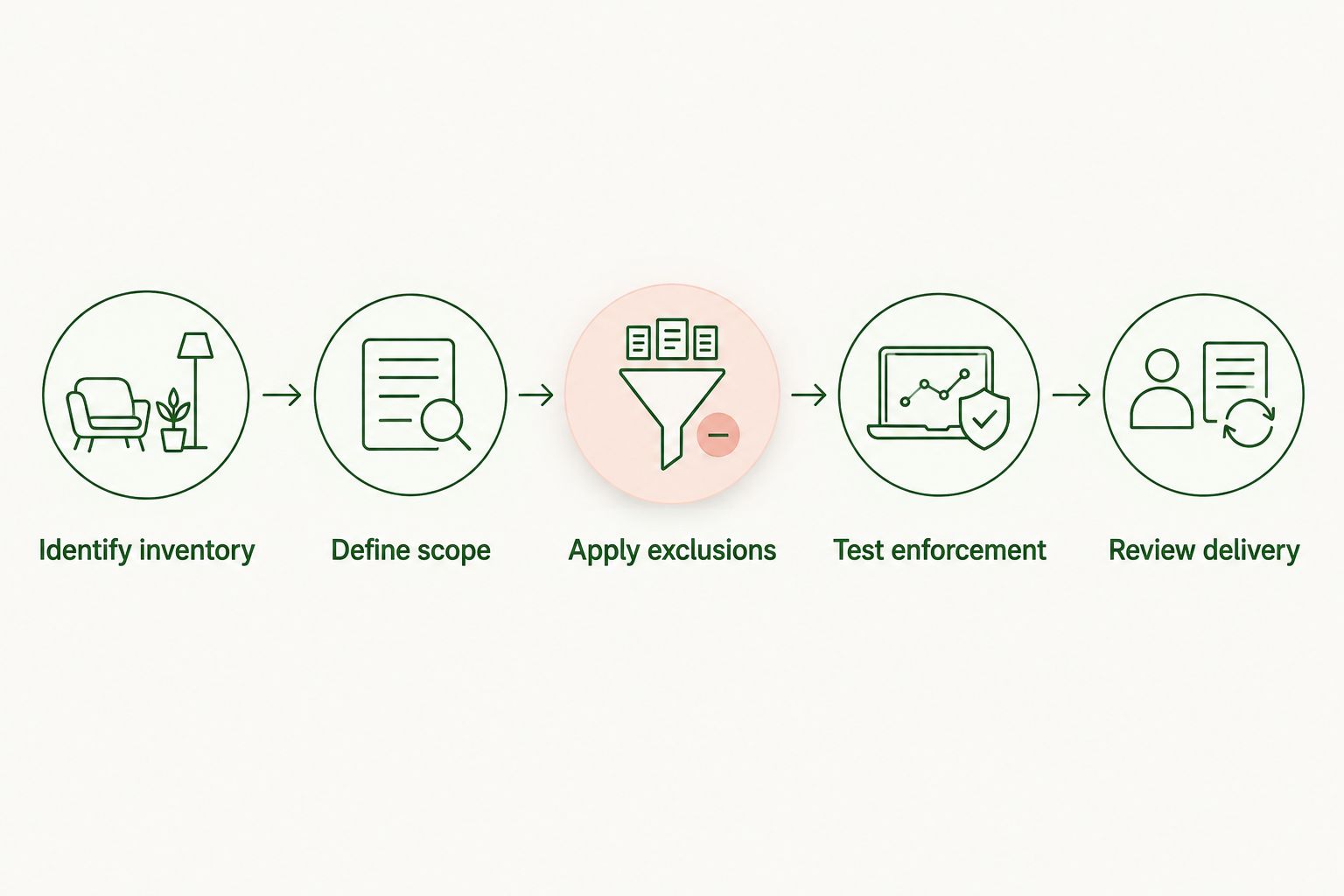
Ask the platform to demonstrate the following sequence:
- Identify inventory. Establish the app's recognized inventory identifier and distinguish it from the publisher's name or the underlying language model.
- Define scope. Specify whether the exclusion applies to a campaign, a narrower buying unit, or the advertiser account.
- Apply exclusions. Confirm how the platform records the restriction and when it becomes effective.
- Test enforcement. Request a controlled test showing that excluded inventory is ineligible while an approved placement remains eligible.
- Review delivery. Check placement reporting against the exclusion record after activation.
A saved setting proves that a setting exists. It does not, by itself, prove that every relevant delivery path respects it. Request evidence that connects configuration to actual eligibility decisions.
What counts as supporting evidence?
Request current documentation, a demonstration using the intended campaign scope, and a sample placement report. Ask the platform to explain how the same app is identified across setup, ad requests, and reporting.
For your 2026 approval record, retain the restriction, its effective timestamp, and the inventory identifiers it covers. Avoid approving a campaign on the strength of a generic statement that advertisers have control.
App exclusions: best for blocking a named application
An app exclusion is the appropriate requirement when your objection concerns a particular application rather than every property owned by its publisher. Specify the application precisely. A display name alone leaves room for ambiguity.
Ask whether separate web, mobile, and embedded versions use separate identifiers. Do not assume that excluding a mobile app also excludes a browser-based version with the same name.
Advantage: the requested restriction is narrow and tied to a named placement. Limitation: it depends on the platform recognizing the relevant app consistently. If the platform cannot identify the inventory at that level, an app-specific restriction is not verifiable.
Publisher exclusions: best for an owner-wide restriction
Request a publisher exclusion when your policy covers all inventory associated with a particular publisher. Keep that request distinct from excluding an individual app, and ask which properties the platform associates with the publisher identity.
Advantage: the intended scope covers the publisher rather than a single application. Limitation: that scope also removes properties you might otherwise accept. Ownership labels and inventory relationships need explicit confirmation; a company name is not a complete inventory list.
Allowlists: best for approved-placement-only campaigns
An allowlist expresses a different rule: run only on explicitly approved inventory. Request this approach when your campaign requires placement approval before delivery rather than the removal of named exceptions.
Advantage: the approval boundary is explicit. Limitation: unreviewed inventory remains outside that boundary, including inventory you might later approve. Confirm that the platform actually enforces approved-only delivery rather than treating the list as a preference.
Which control matches your requirement?
Use this comparison to specify the control you need. These are buying requirements, not a claim that every conversational advertising platform offers them.
| Control | Best for | Intended restriction | Main limitation |
|---|---|---|---|
| App exclusion | Rejecting a named application | Remove identified app inventory | Requires consistent app identification |
| Publisher exclusion | Rejecting an inventory owner | Remove inventory associated with that publisher | Broader than an individual app restriction |
| Allowlist | Prior approval of every placement | Permit only approved inventory | Requires maintaining the approved set |
| Conversation filter | Restricting eligible subject matter | Reject conversations outside your content rules | Does not replace app approval |
Choose the control that matches the objection. Rejecting an app, rejecting its owner, and rejecting a conversation topic are different instructions. Combining them in a vague request makes acceptance testing harder.
Why app-exclusion requirements vary
Define these factors in the campaign brief. Each resolves a different ambiguity in what you mean by excluding an app.
- Inventory identity: specify the recognized app identifier, not only the name users see.
- Restriction scope: identify the campaigns or account boundaries that must inherit the exclusion.
- Surface coverage: name the web, mobile, or embedded surfaces you intend to block.
- Activation timing: record when the restriction must take effect and how the platform confirms activation.
- Unidentified inventory: state whether requests without usable app identity must remain ineligible.
- Reporting detail: require enough placement information to compare delivery with your approved inventory rules.
For 2026 procurement, make these acceptance conditions rather than informal preferences. Ask the platform to identify any condition it cannot satisfy before you authorize delivery.
A narrower campaign scope is not inherently wrong. An undocumented scope is the problem: you cannot verify a restriction if the advertiser and platform are applying different meanings to it.
How do you verify that an app exclusion actually works?
Verify eligibility decisions first, then reconcile delivery. Ask for a controlled test involving the excluded inventory and an otherwise eligible approved placement. The test should isolate the exclusion rather than change unrelated targeting settings at the same time.
If both placements fail, the test does not establish that the exclusion caused the rejection. Another rule might explain the result. Ask for the reason attached to the eligibility decision and the identifiers used in that decision.
Before activation
Document the campaign reference, inventory identifier, requested scope, effective timestamp, and person responsible for approval. Request confirmation of how missing or unrecognized app identities are handled.
Also distinguish campaign status from restriction status. A campaign marked active does not answer whether a newly requested exclusion is effective. Ask for confirmation of the restriction itself.
After activation
Compare placement identifiers in the delivery report with the restriction record. Align reporting timestamps with the platform's stated activation time, and separate earlier delivery from delivery after the exclusion became effective.
A report with no delivery on the excluded app is useful, but absence alone does not demonstrate that the app was blocked. It might not have supplied eligible inventory during the observation period. Pair reporting with the controlled eligibility test.
If you find unexpected delivery
Preserve the placement identifier, campaign reference, event timestamp, and relevant restriction record. Ask the platform to explain the mismatch before making additional changes that obscure the original state.
Pause affected delivery if you cannot verify the required placement boundary. Do not resolve an identification problem by repeatedly adding variations of an app's display name without confirming what the platform recognizes.
Can I exclude an app without blocking its publisher?
You need an app-scoped control to exclude an application while keeping other inventory from its publisher eligible. Ask the platform to show the separate identifiers and explain whether publisher-level rules override narrower campaign settings.
Do not use an owner-wide restriction as a silent substitute. If only publisher exclusions are supported, decide explicitly whether the broader removal is acceptable for the campaign.
Does contextual targeting replace an app blocklist?
Contextual targeting does not replace an app blocklist. Conversation relevance answers whether an ad fits the current exchange; an app restriction answers whether that application is eligible to carry the campaign.
Keep both decisions explicit in your 2026 campaign brief. A suitable conversation inside an excluded app should not become eligible merely because the match is relevant.
Can I exclude apps built on a specific language model?
Excluding a named app is different from excluding applications that use a particular language model. Do not substitute the model provider's name for an inventory identifier or assume that the buying platform exposes model-level targeting.
If your policy concerns the underlying model, request a documented way to identify that attribute. Without that evidence, an app exclusion list does not verify a model-wide restriction.
What an SDK-based adserver establishes—and what it does not
Elo is for AI chat developers seeking SDK-based contextual ad monetization. Its stated offering lets developers of applications built on OpenAI, Anthropic, or custom LLMs embed conversational ads and earn revenue from advertiser spend.
That publisher-side description establishes the intended integration and monetization use case. It does not establish advertiser-side app exclusions, account-wide blocklists, allowlists, or particular reporting fields.
When evaluating Elo for conversational advertising, separate SDK integration questions from campaign-control questions. The product's stated fit is contextual monetization for AI chat applications; the exclusion capability requires separate confirmation before you make it a campaign dependency.
FAQ
Can I exclude a specific AI chatbot app from my ad campaign?
You can exclude a specific app only if the buying platform supports and enforces app-level restrictions. Confirm the recognized inventory identifier, restriction scope, and effective time before authorizing delivery.
Is blocking a publisher the same as blocking an app?
Blocking a publisher is not the same as blocking an app. A publisher-wide restriction has a broader intended scope, so ask which inventory it covers before applying it.
What's the best control when every chatbot placement needs approval?
An enforced allowlist matches a requirement for approved-placement-only delivery. Confirm that unapproved and unidentified inventory remain ineligible rather than assuming the list is mandatory.
Can contextual targeting stop ads from appearing in unwanted apps?
Contextual targeting alone does not establish an app restriction. Require a separate placement rule when an application must remain ineligible regardless of conversation relevance.
How do I check whether a blocked chatbot app received ads?
Compare app-level delivery identifiers with the exclusion record and its effective timestamp. Pair that review with a controlled eligibility test because no recorded delivery alone does not prove enforcement.
Does Elo support advertiser app exclusions?
Elo's stated product description establishes SDK-based contextual ad monetization, not advertiser app-exclusion functionality. Request direct confirmation and enforcement evidence before relying on that control.
Should inventory without an identifiable app be eligible?
For a campaign requiring verified app approval, specify that inventory without usable app identity must remain ineligible. Confirm whether the platform can enforce that requirement before launch.
One last thing
Ask what happens when app identity is missing. A list of blocked app names does not resolve an ad request that cannot be matched to an app.
Make that question part of your 2026 launch approval. The decisive requirement is not merely that the platform stores your exclusions; it is that delivery respects the placement boundary you approved.