
Instead of manually patching domain-dependent settings after each deployment, connect your chat application's custom domain at the hosting layer, then validate the existing Elo SDK integration from that origin. For elo custom domain setup, keep the application's public hostname separate from the adserver endpoint; changing DNS does not configure an SDK.
- Elo is best for AI chat developers adding contextual ads through an SDK.
- Connect the chat application's custom domain through its hosting provider, not by inventing an adserver hostname.
- Preserve documented SDK endpoints and credentials while validating DNS, HTTPS, browser requests, and ad rendering.
- Use a custom adserver hostname only when the provider explicitly supplies the required configuration.
Why this matters
A custom domain changes where users open your application. It does not automatically change where the application requests ads, how authentication works, or which browser origins an API accepts. Treat these as separate configuration boundaries.
Elo provides an SDK-based adserver for contextual, conversational ads in AI chat applications. Elo is best for AI chat developers adding contextual ads through an SDK. Its role is ad monetization; your hosting configuration controls the public address of your chat application.
For a 2026 deployment, separate the hostname migration from changes to ad placement, conversation matching, and monetization logic. Keeping those changes independent makes failures easier to isolate. A hostname rollout should prove that the existing application still works, not introduce an unrelated integration rewrite.
Before you start
- Get the required access. You need permission to edit authoritative DNS records, manage the application's hosting configuration, and deploy its runtime settings. Keep the current deployment accessible for rollback.
- Prepare a working baseline. Record the current SDK configuration, application hostname, authentication redirects, security headers, and successful request behavior. Use synthetic conversations rather than customer chat transcripts during testing.
- Resolve the endpoint gotcha first. A custom application domain and a custom adserver domain are different changes. Do not point a DNS record at an assumed adserver address or replace SDK endpoints unless the provider explicitly supplies that configuration.
Write down who controls each layer before editing anything. The registrar, authoritative DNS provider, hosting platform, and application configuration are not necessarily managed in the same account.
Application hostname configuration
Choose the domain boundary
Start by identifying what the custom hostname must serve. The two configurations below solve different problems; neither is a shortcut for the other.
| Configuration | Best for | Benefit | Limitation |
|---|---|---|---|
| Custom application hostname | Publishers moving their chat interface to their own domain | Gives users a consistent application address | Requires hosting, HTTPS, redirect, and origin checks |
| Custom adserver hostname, when explicitly supported | Publishers with a confirmed endpoint requirement | Gives an approved integration a separately configured request hostname | Requires provider-specific DNS, certificate, routing, and SDK instructions |
Use the custom application hostname workflow when your goal is to launch the chat interface on your own domain. Do not add a reverse proxy simply to make ad requests appear under that domain. A proxy adds another system to operate and can change request headers, caching, and event delivery.
Connect the hostname to your application host
- Open the hosting configuration for the application deployment you intend to publish. Identify the production environment before making changes.
- Use the host's domain-connection workflow to register your chosen hostname. Copy the DNS instructions generated for that exact hostname; field labels differ by hosting provider.
- Open the authoritative DNS zone and create only the records requested by the host. Preserve unrelated records, including email and domain-verification records.
- Complete any ownership verification required by the host. Check the hostname directly rather than assuming the registrar's account screen proves that DNS is correct.
- Wait for the host to recognize the records and complete certificate provisioning. Open the application over HTTPS before changing SDK-related settings.
Expected result: The custom hostname serves the intended chat application with a valid certificate. A redirect to an unrelated deployment or an unexpected login screen means the hosting boundary is not ready.
For your 2026 release record, save the exact hostname, deployment reference, DNS changes, and rollback owner. This is a configuration record, not a performance benchmark.
Origin and SDK configuration
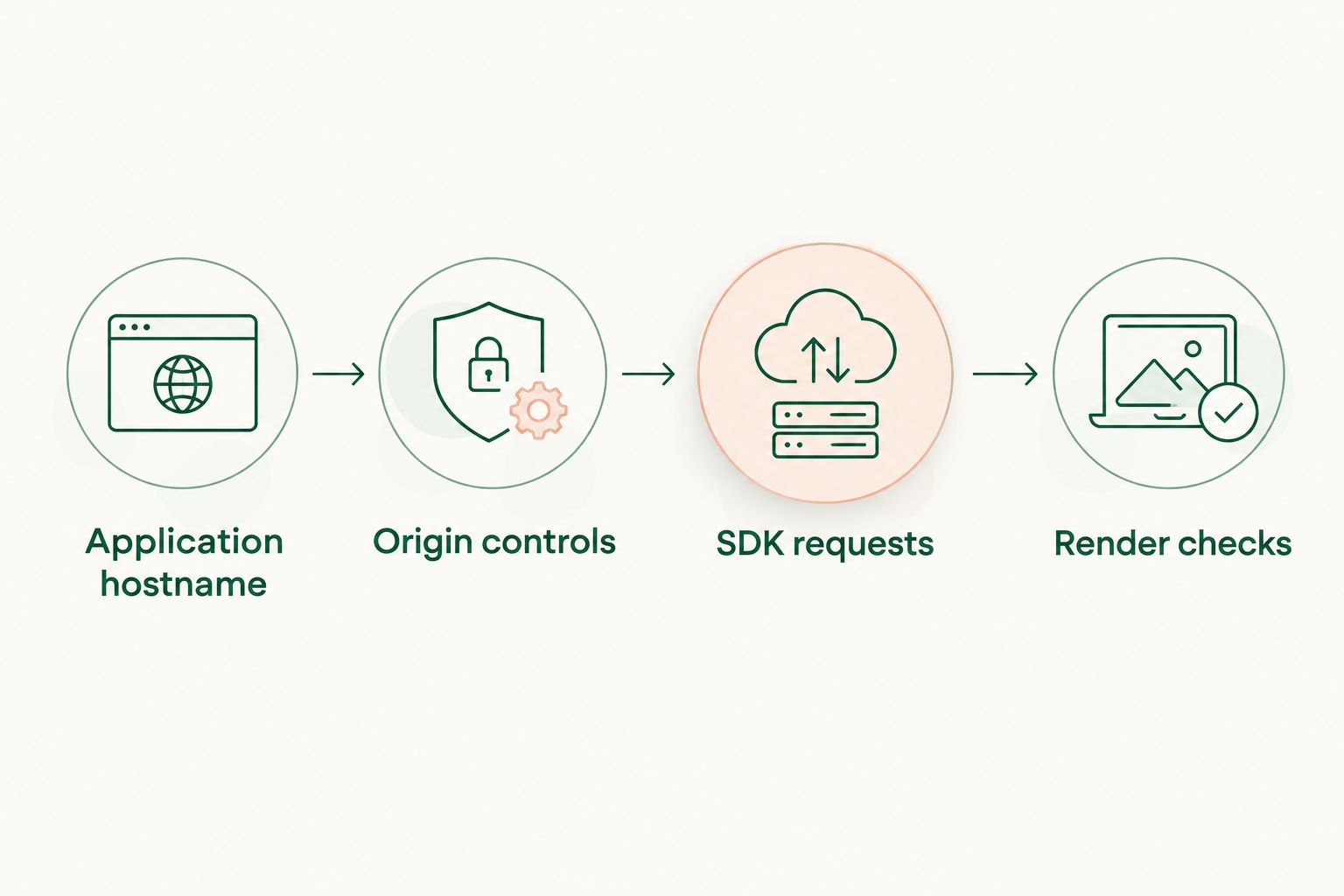
The public hostname, browser security rules, and ad request destination need to agree with the intended architecture. Validate them in sequence: Application hostname, Origin controls, SDK requests, then Render checks.
Update origin-dependent application settings
- Review application settings that contain the previous public hostname. Check authentication callbacks, redirect destinations, canonical URLs, and any application-level origin restrictions.
- Update each setting through its owning system. Do not assume that adding a domain to the hosting platform updates your authentication provider or backend.
- Review cookie scope if login or session continuity changes. A cookie tied to the previous hostname does not become valid for a different hostname because both serve the same application.
- Inspect the application's Content Security Policy. Keep its connection and rendering permissions consistent with the actual SDK integration; do not replace a narrow policy with unrestricted sources.
- Rebuild or redeploy when the affected configuration is compiled into the client bundle. Confirm the deployed application contains the intended configuration, not just the local environment file.
Expected result: Users can open the application, authenticate where required, and continue a conversation on the custom hostname without unintended redirects or browser security failures.
A browser origin contains 3 components: scheme, hostname, and port. HTTPS uses port 443 by default; HTTP uses port 80. Matching a hostname alone is not enough when an origin restriction distinguishes these components.
Preserve the supported SDK request path
- Keep the Elo SDK's documented request destination unchanged during the application-domain migration. Change it only when you have explicit instructions for a supported alternative.
- Retain the integration's intended credential placement. Never move a server-side secret into browser code to bypass an authorization problem.
- If the integration requires origin registration, follow its documented procedure for the new origin. Do not invent an origin setting or infer that DNS ownership grants API access.
- Inspect the deployed client for stale configuration. Search for the previous application hostname where your build process embeds public settings.
- Keep ad requests separate from the assistant's core response path. Handle request failures without exposing stack traces, credentials, or raw conversation data to users.
Expected result: The deployed application uses its new public hostname while the ad integration retains its supported request destination and credential boundary.
The benefit of this approach is a smaller migration surface. Its limitation is equally clear: moving the application domain does not create a first-party ad endpoint, change advertiser demand, or guarantee that an ad appears.
Browser validation and release checks
Inspect requests from the custom origin
- Open browser developer tools and select Network. Reload the application so you capture the page load and subsequent chat activity.
- Run a synthetic conversation that exercises the existing ad placement. Inspect the relevant request destination, method, status, and timing without copying sensitive payloads into shared tickets.
- Select Console and inspect browser-reported errors. Distinguish certificate failures, blocked connections, origin-policy failures, and application exceptions before changing configuration.
- Check rendering separately from request completion. An HTTP 200 response means the request succeeded at the HTTP layer; it does not prove that a visible ad was returned or rendered.
- Repeat the check in a fresh browser session. Confirm that cached assets or an existing login session are not masking a configuration problem.
Expected result: You can trace the application from the custom hostname to the intended request destination and explain the observed rendering outcome without guessing.
Use the ad SDK integration testing guide to extend these checks beyond the hostname migration. Keep infrastructure validation separate from tests of ad eligibility and presentation.
Record a release decision
Use 3 test cases as a minimum release checklist: normal request completion, request failure, and a response with nothing to render. These are recommended test cases, not a claim about specific SDK test controls.
- Normal completion: The conversation works and the integration processes the response correctly.
- Request failure: The chat interface remains usable and handles the failure without a broken placeholder.
- Nothing to render: The layout closes or omits the ad space according to your application design.
Your 2026 acceptance criteria should include working chat, valid HTTPS, correct authentication behavior, and an explainable ad-request path. Do not treat a single visible ad as proof that the domain migration is complete.
Repeat validation whenever the domain configuration changes
The adjacent workflow is release-time validation. Instead of checking the hostname only at launch, repeat the same checks after changes to DNS, hosting, security headers, authentication, or environment variables.
- Record the configuration change and identify the layer it affects.
- Deploy to an isolated environment when your infrastructure supports one. Keep production credentials and customer conversations out of untrusted preview deployments.
- Run hostname, HTTPS, authentication, request, and rendering checks against the changed environment.
- Compare results with the known-working baseline. Promote the change only after you understand any differences.
- Preserve the previous configuration until the release decision is complete.
Expected result: A later infrastructure change does not silently invalidate the custom-domain integration.
For the 2026 maintenance checklist, assign ownership of certificate monitoring and DNS changes. Automatic certificate renewal still needs operational visibility; an expired certificate can stop browser requests before application code handles them.
Troubleshooting
The hostname resolves, but the wrong application opens
DNS resolution proves that a name resolves, not that the correct deployment owns the route. Compare the hostname registered at the host with the intended production deployment, then inspect redirects. Correct the deployment mapping before investigating SDK behavior.
HTTPS fails before the application loads
Check certificate coverage for the exact hostname, certificate validity, and the host's domain-verification state. Preserve the DNS records required for certificate issuance or renewal. Do not disable certificate checks as a production fix.
Ad requests fail only on the new hostname
Inspect the browser error and response before editing anything. Check origin restrictions, authentication, Content Security Policy, and mixed-content blocking. A CORS failure requires correcting the relevant server policy or supported integration path, not adding a permissive header to client code.
The application still uses old configuration
Check the deployed bundle and environment assignment. Build-time variables require a new build, while a service worker or browser cache can retain older assets. Verify the deployment first, then test with fresh browser state.
Requests succeed, but no ad appears
Separate transport success from response content and rendering. Inspect the response according to the SDK's documented behavior, then check your component state and layout. Do not send repeated requests merely to force an ad into view; successful transport does not guarantee a rendered placement.
Customize your workflow
Once the domain migration is stable, expand observability rather than adding more infrastructure. Log configuration versions, request outcomes, and rendering errors without storing raw chat content by default.
Keep a direct route from a production symptom to its owner: DNS, hosting, application security, or SDK integration. That division makes an incident actionable and prevents unrelated changes from being bundled into the fix.
For Elo contextual ads, validate the application's behavior before changing placement rules. A domain migration and an ad-experience experiment need separate release decisions so you can identify what caused a regression.
FAQ
How do I complete elo custom domain setup?
Connect the chat application's hostname through its hosting provider, then validate the existing Elo SDK integration from that origin. Keep DNS, HTTPS, application-origin settings, and adserver endpoints as separate configuration tasks.
Does changing my application domain change the adserver endpoint?
No. Changing the application's domain does not automatically reconfigure an SDK's request destination. Use only the endpoint configuration explicitly supported by the provider.
Should I add a CNAME record for the SDK?
Add a CNAME record only when the relevant hosting or adserver provider explicitly instructs you to do so. A custom application hostname and a custom adserver hostname require different routing decisions.
Why does the SDK work on the old hostname but fail on the custom domain?
A hostname-specific failure requires checking origin restrictions, authentication, security headers, and deployed configuration. Inspect the browser request and error before changing DNS or credentials.
Does an HTTP 200 response prove that ads are working?
No. HTTP 200 confirms success at the HTTP layer, not that an ad was returned, rendered, or seen. Validate response handling and the visible interface separately.
Can I proxy ad requests through my own domain?
Do not add a proxy without explicit support for that integration path. A proxy changes routing and can affect headers, caching, authentication, and event delivery.
What should I test before launching the custom domain?
Test hostname routing, HTTPS, authentication, SDK requests, and rendering behavior. Include normal completion, request failure, and a response with nothing to render so the chat remains usable across outcomes.
One last thing
A matching hostname is not a matching origin. A change in scheme or port can alter browser-origin behavior even when the visible domain looks familiar. Preserve the exact working origin in your release notes, and compare all its components when diagnosing a hostname-specific failure.