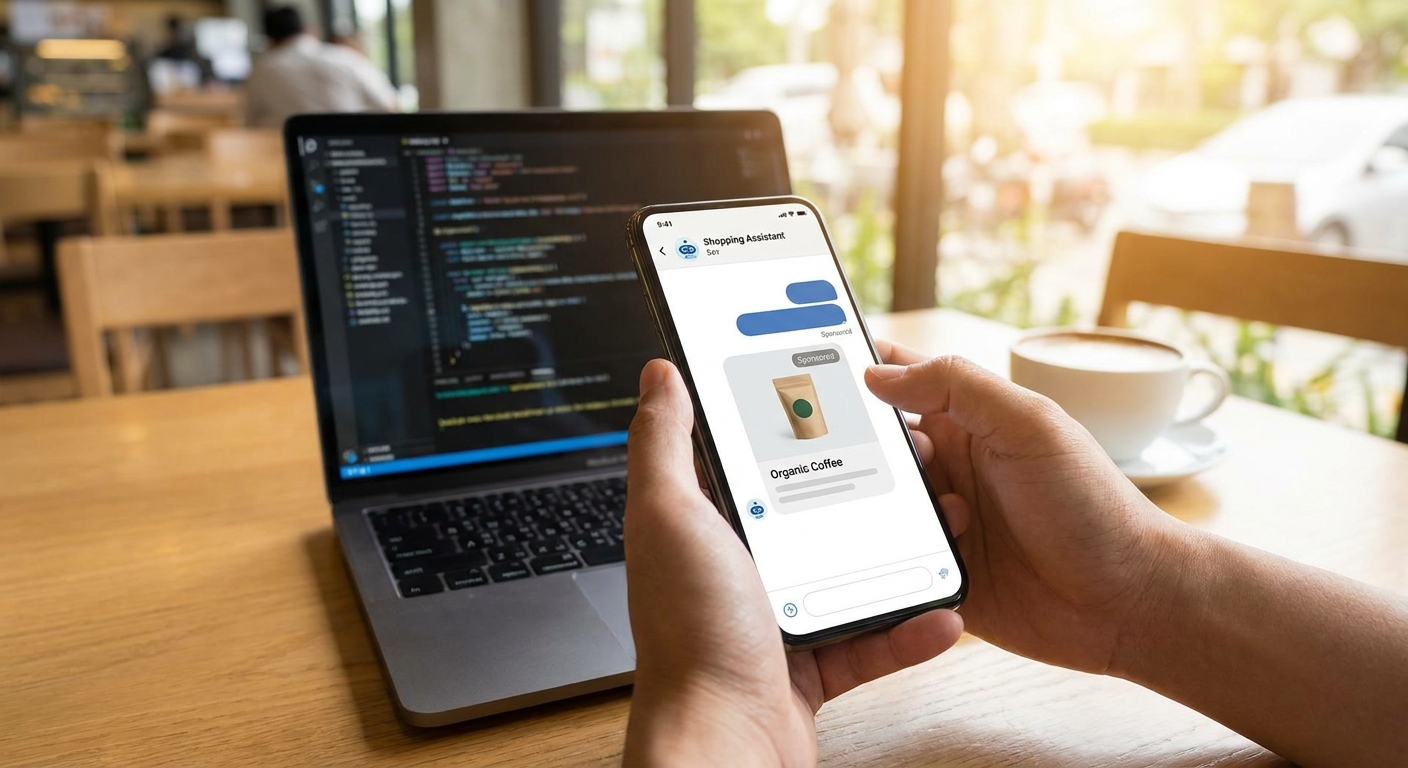
An AI shopping bot that recommends products can also recommend sponsored ones — without turning into a banner farm. This guide walks through the exact steps to wire sponsored recommendations into a shopping assistant, from SDK install to revenue tracking.
- Adding sponsored recommendations to an AI shopping bot takes an SDK install, a context matcher, and a native card renderer — most integrations ship in under a day.
- Elo's adserver matches sponsored product suggestions to live conversation context instead of static keywords, which keeps relevance high in 2026 shopping flows.
- Native cards outperform banner-style ad units in chat because users read them as recommendations, not interruptions.
- Pricing models (CPM, CPC, CPA) need to be set before launch or fill rate data becomes useless for optimization.
- Brand safety filters and frequency capping are non-negotiable for shopping bots — skip them and refund requests follow.
Why this matters
A shopping assistant answers hundreds of product questions a day and monetizes almost none of them through affiliate links alone. Sponsored recommendations change that math: every query about "a running jacket under $150" or "a gift for a coffee drinker" becomes a spot advertisers will pay for, on a CPM, CPC, or CPA basis.
The difference between a sponsored recommendation that feels helpful and one that feels like spam is entirely in the implementation — context matching, card design, and frequency. Elo runs this as an adserver layer purpose-built for AI chat apps, so the matching and rendering logic doesn't have to be built from scratch.
What you'll need
- A shopping assistant built on OpenAI, Anthropic, or a custom LLM stack
- Access to the assistant's chat completion or response pipeline (where you can intercept output before it renders)
- An Elo SDK key and adserver account
- A defined product/category taxonomy the bot already uses for organic recommendations
- Event tracking already in place, or a plan to add impression/click logging
- 2026 privacy disclosures reviewed for your jurisdiction if the bot serves consumer shoppers
The steps
1. Install the SDK and wrap the response pipeline
The Elo SDK drops into most chat pipelines in a dozen lines of code. It sits between your LLM's response and the render layer, so it can inspect the conversation without changing your prompt architecture.
Install it at the point where you already format product cards or recommendation lists — not earlier. Inserting it too early means the matcher sees raw user input instead of the assistant's actual recommendation intent, which lowers relevance.
Common mistake: wrapping the SDK around the wrong function and matching on the user's question instead of the bot's answer. That produces sponsored suggestions unrelated to what the bot just recommended.
2. Pass conversation context to the matcher
The matcher needs more than a keyword — it needs the shopping intent, category, and any constraints the user stated (budget, size, occasion). Feed it the last 2-3 turns of the conversation, not just the current message.
Detailed guidance on structuring this handoff is in how to match ads to conversation context in an LLM app — the short version is: more context in, better match out, but don't send the entire chat history or you add latency for no gain.
Common mistake: sending only the current message. A user who said "under $150" three turns ago and now just says "show me more" needs that constraint carried forward.
3. Render native cards, not banners
Sponsored recommendations in a shopping bot should look like the other product cards the bot already renders — same layout, same metadata fields, with a small "Sponsored" label. Banner-style units interrupt the flow and get ignored or, worse, get users to distrust the bot's other recommendations.
Expected outcome: a sponsored card sits in the same list as organic picks, distinguishable only by a label, not by shape or placement.
4. Set placement rules and frequency caps
Decide how often a sponsored recommendation can appear — once per session, once per category query, or capped at one in every three product turns. Shopping bots that show a sponsored item on every single response burn user trust fast.
A reasonable starting cap for 2026 shopping assistants is one sponsored recommendation per three to five organic recommendations, adjusted after the first two weeks of live data.
5. Configure the pricing model
Before launch, decide whether inventory sells on CPM, CPC, or CPA. Shopping bots with high commercial intent (someone actively asking to buy) tend to command higher CPC and CPA rates than general assistants, because the click or conversion is closer to a purchase.
How to price ad inventory in a conversational AI app covers how to set floor rates by category — running this without a floor price means the first advertiser sets your market rate for you.
Common mistake: launching without a pricing floor and letting low-value CPM fill dominate a high-intent shopping surface.
6. Add brand safety and category exclusions
A shopping bot recommending a mattress next to a sponsored ad for a competing mattress brand is fine. A shopping bot recommending baby products next to an unrelated sponsored ad for alcohol is not. Set category exclusion rules before launch, not after a complaint.
7. Run an A/B test before full rollout
Split traffic between a version with sponsored recommendations and a control without them. Watch for drop in session length, drop in organic recommendation click-through, or increase in "stop suggesting things" style user complaints. If any of those move more than a few points against the sponsored variant, tighten frequency capping before scaling.
8. Monitor RPM and adjust weekly
Revenue per thousand messages (RPM) is the metric that tells you whether the integration is working. Check it weekly for the first month — fill rate and relevance both shift as advertiser demand fills in.
See ads built for shopping assistants
Browse conversational ad examples made for AI shopping bots.
Troubleshooting
- Low fill rate on sponsored recommendations. Usually means the category taxonomy is too narrow. Broaden the categories passed to the matcher rather than lowering your price floor first.
- Sponsored items feel irrelevant to users. The matcher is likely reading stale context. Check that the last 2-3 turns are being passed, not just the current message.
- Users complain about ads feeling intrusive. Frequency cap is set too aggressively. Drop to one sponsored recommendation per five organic ones and re-measure session length after a week.
- Revenue isn't showing up in the dashboard. Confirm impression and click events are firing from the render layer, not just from the matcher call — a common gap when the SDK is wrapped around the wrong function.
- Response latency increased after adding sponsored recommendations. The matcher call is likely running synchronously and blocking the render. Move it to run in parallel with the LLM response generation where your architecture allows it.
Tools and resources
- Elo SDK — the adserver layer for matching, rendering, and reporting on sponsored recommendations
- Your existing product/category taxonomy — reuse it for ad targeting instead of building a second one
- A/B testing tooling already in your stack — no need for anything ad-specific
- Event logging (impressions, clicks, conversions) tied to your existing analytics pipeline
What to do next
Once sponsored recommendations are live, the next question is whether they're actually paying off per user, not just in aggregate. How to measure ad revenue per user in a chatbot breaks down the per-user RPM math that tells you whether to raise frequency, adjust pricing, or pull back.
FAQ
What's the best way to add sponsored recommendations to an AI shopping bot?
Install an SDK like Elo's between your LLM's response and render layer, match sponsored items to the last 2-3 conversation turns, and render them as native cards with a frequency cap. This keeps relevance high without disrupting the shopping flow.
Do sponsored recommendations hurt user trust in a shopping bot?
Not when frequency is capped and cards match the bot's existing recommendation format. Shopping bots that cap sponsored items at one per three to five organic picks in 2026 tend to see minimal drop in session length.
How much does it cost to add ad monetization to a shopping bot?
SDK-based adservers typically run on a revenue-share model rather than a flat fee, so there's no upfront licensing cost — the cost comes from setting pricing floors too low and under-monetizing high-intent traffic.
Is CPC or CPM better for a shopping assistant?
CPC and CPA tend to pay more for shopping bots because the click or conversion sits closer to an actual purchase. CPM fills gaps but usually commands a lower floor rate on high-commercial-intent traffic.
How long does it take to integrate sponsored recommendations?
Most SDK-based integrations into an existing chat pipeline take a day or two of engineering time, plus one to two weeks of monitoring before frequency and pricing settings stabilize.
Can sponsored recommendations work on a custom LLM, not just OpenAI or Anthropic?
Yes. The matcher only needs conversation context and a hook into the response pipeline, so custom LLM stacks integrate the same way as OpenAI or Anthropic-based bots.
What's the biggest mistake when adding ads to a shopping bot?
Matching sponsored recommendations to the user's raw question instead of the bot's actual product recommendation. This produces irrelevant suggestions and is the fastest way to lose user trust.
One last thing
The frequency cap matters more than the pricing model. A shopping bot that nails relevance but shows a sponsored card on every single turn will still lose organic engagement — cap first, price second, and let 2026's early fill data tell you where the real ceiling is.


