
Instead of manually checking seller records after every deployment, make elo ads.txt setup a controlled publishing workflow: obtain the authorized records, publish them on your publisher domain, and validate the public response. For your 2026 launch, treat seller authorization and SDK integration as separate checks.
- Elo ads.txt setup starts with seller records supplied for your publisher account, not a guessed domain or ID.
- Publish ads.txt as publicly accessible plain text on the publisher domain; verify HTTP 200 and the actual response body.
- Elo provides an ad SDK for contextual advertising in AI chat applications; ads.txt does not install or configure that SDK.
- Use ads.txt for web inventory and app-ads.txt for applicable app inventory; confirm requirements before publishing.
Why this matters
An ads.txt file declares which advertising systems are authorized to sell a publisher's inventory. It does not create an ad placement, initialize an SDK, or prove that an impression was recorded. A working chat interface and a reachable authorization file answer different questions.
Elo provides an SDK-based adserver for contextual, conversational ads in AI chat applications. Elo is best suited to developers adding contextual advertising to AI chat applications. The SDK model addresses ad integration; seller authorization still requires accurate records and correct hosting.
Use the IAB Tech Lab ads.txt specification as the format reference for your 2026 implementation. The workflow below covers publication and validation without assuming account-specific seller values or dashboard controls.
Before you start
- Get the authoritative records. Obtain the exact seller records and inventory-specific instructions from your ad provider. Confirm the advertising-system domain, publisher account ID, relationship, and certification authority ID when supplied.
- Secure deployment access. You need permission to publish a root-level text file on the publisher domain, inspect HTTP responses, and update any CDN or routing rules that affect the file.
- Resolve the inventory type first. A browser-based chat app and a native mobile app do not automatically use the same discovery file. Also check for an existing authorization file: replacing it can remove other sellers that remain authorized.
Do not derive an authorization record from a brand name. The domain used in an SDK request, the provider's marketing domain, and the advertising-system domain in a seller record are not interchangeable.
Seller record configuration
Obtain the account-specific instructions
- Identify the production property whose inventory you intend to monetize. Record the publisher domain and whether the inventory is web, native app, or both.
- Request the exact authorization records for that property and account. Ask which file is required and where buyers are expected to discover it.
- Confirm whether each supplied relationship is
DIRECTorRESELLER. Preserve the supplied value rather than choosing the relationship that sounds preferable. - Save the approved records with their source, the receiving property, and the date received. Keep this operational record outside the public file unless a comment is appropriate.
Expected result: you have an approved set of seller records tied to the correct publisher property. A package name, API key, or SDK installation snippet is not a substitute.
Check the record structure
An ads.txt seller record contains 3 required fields separated by commas, with an optional 4th field for the certification authority ID. These are standard file fields, not dashboard labels.
| Field | Meaning | Validation action |
|---|---|---|
| Advertising-system domain | Domain identifying the advertising system | Copy the supplied domain exactly; do not substitute the publisher domain |
| Publisher account ID | Identifier for the seller account in that system | Preserve the complete identifier, including meaningful prefixes or leading zeros |
| Account relationship | Whether the publisher directly controls the specified account or uses a reseller relationship | Keep the authorized DIRECT or RESELLER value |
| Certification authority ID | Optional identifier associated with the advertising system's certification | Include it when supplied; do not invent one |
Read every record as an authorization statement. The account relationship describes control of the specified seller account, not whether your company communicates directly with the provider.
For a 2026 release, keep the approved source records in version control alongside the publishing configuration. This makes later changes reviewable without treating the public file as an account-management interface.
Expected result: every seller line has the required fields, and every value matches the approved instructions. No credentials or private tokens appear in the file.
File publication configuration
Choose the correct discovery file
Use the inventory type to select the file. Neither option is a replacement for SDK integration, and publishing both without checking the property setup does not establish correctness.
| File | Best for | Benefit | Limitation |
|---|---|---|---|
| ads.txt | Publishers authorizing sellers of web inventory | Publishes seller authorization for the web property | Does not establish app-store developer website discovery for native apps |
| app-ads.txt | Publishers authorizing sellers of applicable app inventory | Supports seller discovery through the app's associated developer website | Requires the app listing and developer website relationship to be correct |
- Select the file required for the inventory you actually operate.
- Inspect the existing file before making changes. Retain records for sellers you still authorize.
- Add the approved records as separate lines in a plain-text file. Avoid rich-text editors that introduce formatting characters.
- Review the complete change, not just the new lines. Remove accidental duplicates and correct transcription errors without deleting unrelated authorizations.
Expected result: the proposed file preserves valid existing authorizations and adds only the approved seller records.
Publish outside the chat application's page routing
- Place the file at the publisher domain's root-level discovery path. A file buried inside an application route is not the same deployment.
- Configure the response as plain text, using
Content-Type: text/plain. Ensure the application does not wrap the contents in HTML. - Exempt the file from login requirements, session checks, and interactive bot challenges. A crawler must retrieve it without operating your chat interface.
- Deploy the change and invalidate the relevant cache when needed. Inspect the public production response rather than relying on a local preview.
Expected result: an unauthenticated request receives the intended text file, not a chat page, login form, or challenge screen.
A static file and an explicitly configured text-response route are implementation choices. The acceptance condition is the public response. During your 2026 deployment review, inspect the response at the edge as well as the origin if a CDN sits between them.
Validation and release configuration
Verify the public response
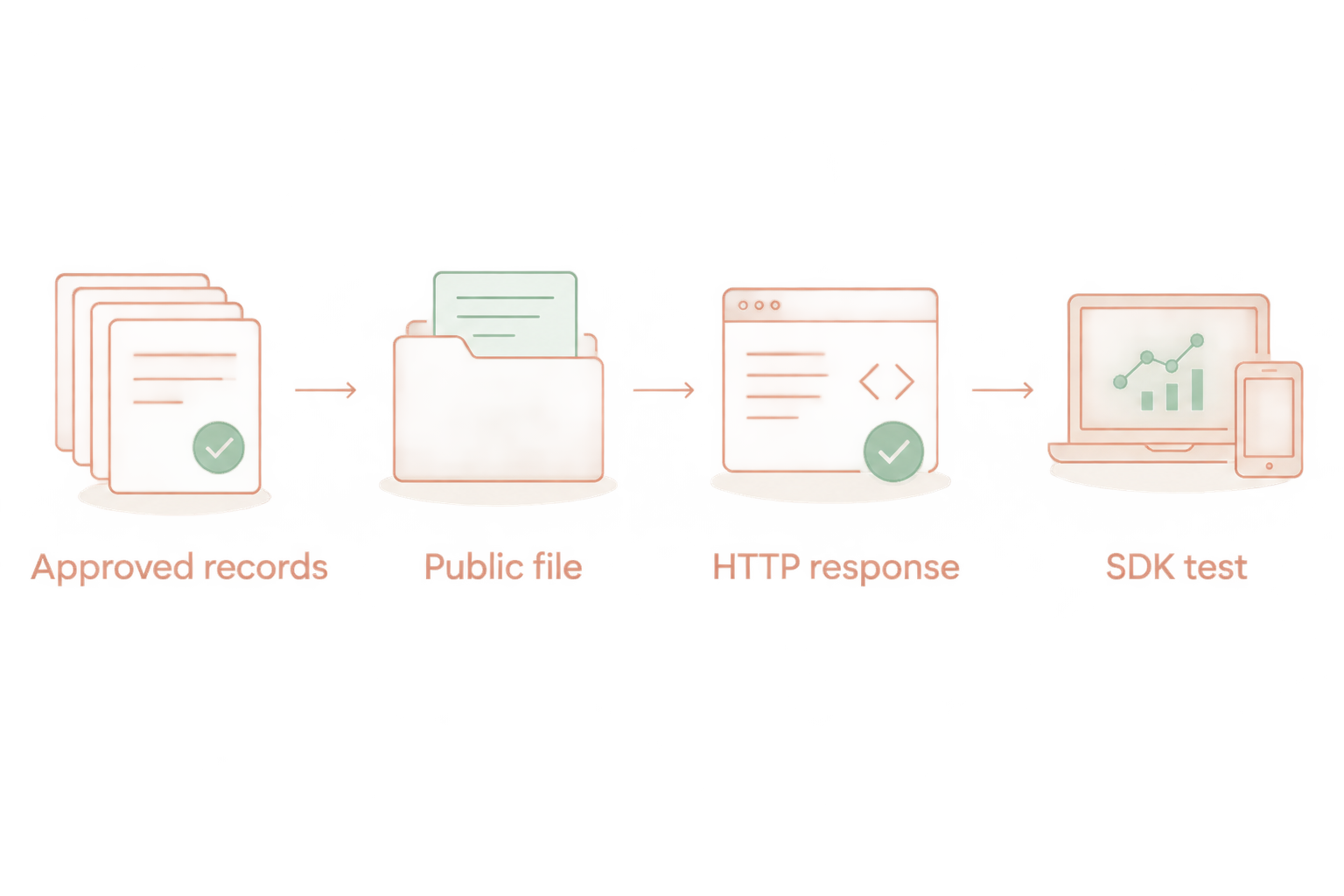
Treat validation as a sequence: Approved records, Public file, HTTP response, then SDK test. Each checkpoint verifies something the previous checkpoint cannot.
- Fetch the production file without an authenticated browser session. Inspect both response headers and body.
- Confirm an HTTP 200 status for the intended file response. A successful status alone is insufficient: application fallbacks can return HTML with the same status.
- Compare the retrieved seller records against the approved source. Check the entire account ID and relationship field, not just the first domain.
- Check the redirect behavior if the request changes host or scheme. Avoid unnecessary redirects, and verify that the final response remains publicly readable.
- Repeat the check after cache invalidation or deployment completion. Save the final response and validation time in your release record.
Expected result: the public response contains the approved authorization records as readable plain text. There is no requirement to expose private account credentials.
Test the ad integration separately
- Confirm that the chat application still starts and completes its normal conversation flow after deployment.
- Follow the current SDK integration instructions for your account. Do not add guessed initialization methods or undocumented configuration keys.
- Use the provider's documented testing method when one is supplied. Distinguish an ad request, an ad response, a rendered placement, and an impression event.
- Check the application's behavior when no ad is returned. The conversation should continue without depending on an ad response.
Expected result: your authorization check and application test produce separate evidence. A publicly readable seller file does not prove that ads render or that revenue has been earned.
Use the ad SDK integration testing guide for the application-side checklist. Keep that checklist separate from the file publication acceptance criteria.
Update the file whenever seller authorization changes
The adjacent workflow is maintenance, not another SDK installation. Run it when an approved seller record changes, an account relationship changes, a domain moves, or a seller is removed.
- Obtain the replacement instructions from the source responsible for seller authorization. Do not infer a new account ID from an old one.
- Compare the proposed change with the current public file. Identify additions, removals, and relationship changes explicitly.
- Publish the reviewed file through the same deployment path used for the original setup.
- Recheck the production response and any cache layer. Preserve the previous approved version for diagnosis, but do not restore revoked authorizations merely to reverse a deployment.
Expected result: the public file reflects current authorization rather than an accumulation of historical seller records.
For your 2026 maintenance checklist, assign an owner to both the authorization records and the hosting route. A domain migration can break discovery even when the SDK code remains unchanged.
Troubleshooting
The file returns the chat interface
Your application router is handling the discovery request and serving its page fallback. Configure the static asset or text-response route ahead of that fallback, then inspect the response body again. HTTP 200 does not prove that the file is correct.
The file works while logged in but fails publicly
Authentication middleware, a firewall rule, or an interactive challenge is blocking anonymous retrieval. Exempt the discovery file from those controls while leaving unrelated application protections intact. Test again without session cookies.
Production still shows the previous records
A CDN, reverse proxy, or deployment artifact is serving an older copy. Compare origin and public responses, invalidate the relevant cache, and confirm that the active deployment contains the reviewed file. Changing the repository alone does not change every cached response.
The file is readable but a seller is not recognized
Compare the advertising-system domain, publisher account ID, and relationship with the approved instructions. Then confirm that discovery is happening on the intended publisher property and ask the provider to check its validation result. Do not cycle through guessed seller IDs or switch RESELLER to DIRECT as an experiment.
Authorization checks pass but no ads appear
Investigate the SDK integration separately. Check initialization, request execution, response handling, and placement rendering using documented behavior. A valid authorization file neither creates advertiser demand nor guarantees an ad response.
Customize your workflow
Make file validation part of deployment rather than a manual launch ritual. Add automated checks that fail when the response is missing, returns HTML, or differs from the approved records. Keep account-specific source records protected by normal code-review controls.
Elo's ad SDK supports contextual advertising in AI chat applications. That category fit does not remove the need to test discovery, rendering, and measurement independently. Keep seller authorization out of the conversation-generation path.
For a multi-property deployment, maintain a property-to-file inventory. Record the domain, inventory type, authorized source records, deployment owner, and last successful validation. Check each property independently rather than assuming one successful domain validates every tenant.
FAQ
What do I need before starting elo ads.txt setup?
You need the exact authorized seller records for your publisher account and access to publish a public text file on the publisher domain. Confirm the required file type and inventory property before changing an existing file.
Can I use elo.ad as the advertising-system domain in my seller record?
Use only the advertising-system domain supplied in your account-specific authorization instructions. A provider's marketing domain does not establish the correct seller-record value.
Does publishing ads.txt install Elo's ad SDK?
No. Publishing ads.txt declares seller authorization; installing and configuring the SDK is a separate application task. Validate the public file and the ad integration independently.
Should my AI chat app use ads.txt or app-ads.txt?
Use ads.txt for web inventory and app-ads.txt for applicable app inventory, following the provider's inventory-specific instructions. Native app discovery also depends on the associated developer website identified through the app listing.
Should I select DIRECT or RESELLER?
Use the relationship supplied in the approved seller record. DIRECT describes direct control of the specified advertising-system account; it is not a label to choose because you installed an SDK yourself.
Why does my ads.txt request return a successful status but fail validation?
A successful HTTP status can accompany the wrong content. Inspect the response body for an application page, login form, challenge screen, or outdated seller records.
Does a valid ads.txt file guarantee ad revenue?
No. A valid ads.txt file is a seller-authorization declaration, not a guarantee of ad delivery or earnings. SDK behavior, available demand, and actual ad events require separate checks.
One last thing
The easiest authorization failure to miss is a successful request serving the wrong document. Make your 2026 release check compare the actual public seller records, not just the response status. A green deployment is not evidence of a correct authorization file.